







Key takeaways
- Automated schedule generation reduces planner workload: Configured rules, preferences, and service requirements help planners generate fair draft schedules in minutes.
- Real-time schedule management keeps teams aligned: Physicians always know who is working and where coverage gaps exist through a single live schedule.
- Live schedule visibility improves operational response: Department leaders identify coverage issues earlier and respond to absences before they disrupt clinical operations.
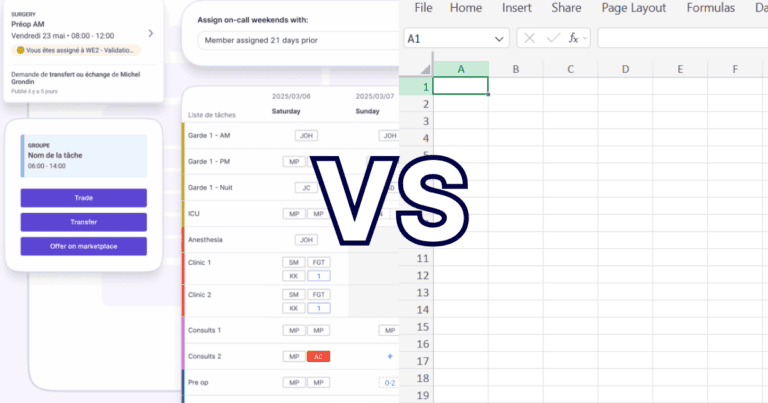
Manual scheduling and automated scheduling differ in one fundamental way: manual scheduling depends on people to communicate and update every scheduling decision, while automated scheduling builds those rules directly into a digital workflow. This leads to faster schedule creation, real-time management, and better visibility for physicians and planners.
Creating a physician schedule is only half the job when it comes to building physician schedules.
A proper schedule balances physician preferences, service requirements, on-call coverage, vacations, compensation considerations, and organizational policies. Then it needs to remain accurate as changes happen every day.
For many healthcare organizations, this process still relies on spreadsheets, email chains, phone calls, text messages, and individual memory. Schedule planners spend hours building schedules, while physicians spend valuable time confirming assignments and checking on-call coverage.
Modern scheduling software approaches the problem differently.
Rather than simply replacing spreadsheets with digital calendars, it helps automate two distinct phases of scheduling: making the schedule and managing it after publication.
Understanding these two phases explains why healthcare organizations increasingly choose automated scheduling software over manual scheduling.
A brief comparison: Billing software vs. Billing services | |
Manual scheduling actions ✏️ | Automated scheduling actions 💻 |
Searching email threads for schedule updates | View a live schedule from any device |
Asking colleagues to know who is on call | Instantly see current on-call coverage |
Waiting for an administrator to approve or communicate a change | Request or accept shift swaps from any device |
Wondering if schedules are updated | Access one real-time source of truth |
Managing vacation requests across spreadsheets and emails | Submit availability and time-off requests digitally |
Discovering staffing gaps after the schedule is published | Help identify coverage needs earlier through live schedule visibility |
1. Manual scheduling is familiar but fragile
We’ve all seen manual scheduling done in and out of the clinic or department. It feels manageable because the tools are familiar.
Excel. Email. Printed sheets. The telephone. With a cord and everything. Or even texting colleagues for shift swaps is manual.
The problem is that healthcare schedules rarely stay simple.
That is where manual scheduling becomes fragile, and automated scheduling thrives.
Physicians need immediate answers throughout the day. They need to:
- See who’s covering clinic
- Confirm current on-call assignments
- Verify that a shift swap has been approved
- Check whether a colleague is available
- Identify where coverage gaps exist
Automated scheduling centralizes these everyday tasks into one live schedule that gives physicians and administrators immediate access to the information they need.
And physicians don’t have time to spare. The Canadian Medical Association reported that physicians are working 10.4 hours per week on administrative tasks, while 46% report high levels of burnout.
The trade-off: Manual scheduling may offer flexibility, but that flexibility depends heavily on people manually updating, validating, and communicating every change. Lack of coordination costs time. And that time costs money at the bottom line.
Petal users make 400,000+ shift trades and transfers per year.
2. Creating a schedule: From planner expertise to automated schedule generation
Making physician schedules is rarely about filling empty shifts. Every schedule planner is balancing dozens of competing priorities before the first shift is even assigned.
Service coverage requirements, physician preferences, vacation requests, on-call rotations, compensation fairness, site-specific rules, contractual obligations, and departmental policies all need to work together.
Traditionally, much of that knowledge lives in the planner’s head, making schedule creation both time-consuming and mentally demanding.
Modern scheduling software takes a different approach.
Instead of expecting planners to remember every rule and preference each time they build a schedule, those requirements are configured directly within the scheduling system. Thus, the scheduling engine includes:
- Service requirements
- Physician preferences
- Compensation considerations
- Scheduling rules
- Fairness parameters
This gives planners something increasingly valuable: relief from the constant mental load of remembering and applying dozens of scheduling variables.
For departments managing complex physician coverage across multiple sites, specialties, and call schedules, this approach dramatically reduces the administrative effort required to produce an accurate schedule.
3. Managing the schedule should keep physicians informed of changes
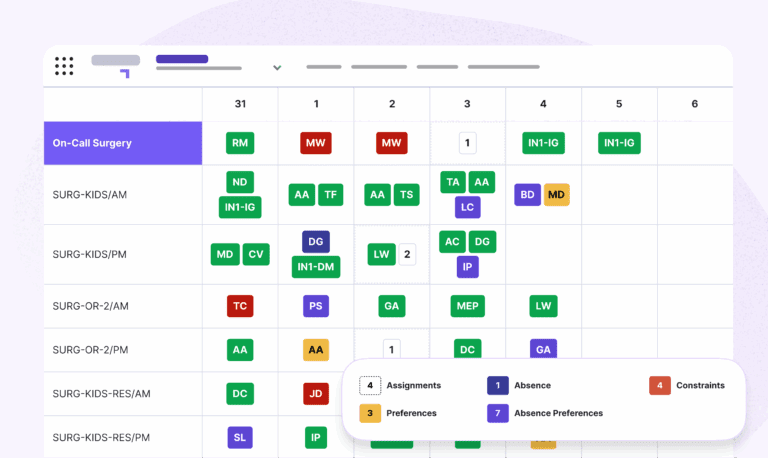
Publishing a schedule is only the beginning.
Throughout the month, physicians request shift swaps, submit vacation requests, call in sick, and adjust their availability.
With manual scheduling, these updates trigger a chain of emails, phone calls, text messages, and spreadsheet revisions. Teams spend valuable time confirming who is working, whether the latest version has been shared, and who is currently covering a particular service or on-call responsibility.
A digital scheduling platform turns the published schedule into a live operational tool.
Instead of relying on static documents, physicians and administrators access a single, real-time schedule that reflects approved changes as they happen. Shift swaps can be requested and managed within the platform, so physicians coordinate coverage without lengthy back-and-forth communication.
Teams instantly identify:
- Who is on call
- Who is available
- Where coverage gaps may exist
This visibility extends beyond individual physicians. Department leaders gain a real-time understanding of staffing across clinics, hospitals, and services, allowing them to respond more quickly to unexpected absences or changing operational needs.
The outcome is a schedule that continues working long after it has been published.
4. Using the schedule to run daily operations
Building and publishing a schedule is only part of a scheduler’s responsibility.
Department leaders also need to understand how staffing changes affect coverage across their care setting.
Manual scheduling makes that difficult. Every approved vacation, sick call, shift trade, or last-minute coverage request creates another series of updates, notifications, and follow-up questions.
That matters because administrative burden is already a major pressure point in Canadian healthcare.
- The CMA reported that doctors spend nearly 20 million hours per year on unnecessary administrative tasks, and 90% of survey respondents said this paperwork contributes to burnout.
A centralized, automated scheduling platform changes that workflow.
Instead of tracking changes across multiple documents, planners gain a live operational view of physician coverage, becoming reviewers and decision-makers instead of acting as information hubs.
In turn, they more easily understand where coverage is strong, where additional resources may be needed, and how staffing is changing over time.
That is what physicians actually need: not just software, and not just service, but a billing model that fits how they practice.
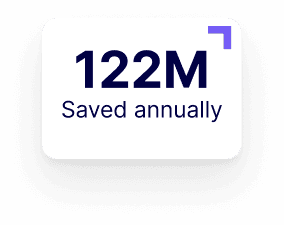
CHUM saves 8,000+ hours per year using Petal Workforce.
5. Better scheduling supports better physician workflows
The benefits of automated scheduling ripple throughout healthcare organizations.
Physicians, department leaders, care teams, are patients each benefit from a more efficient care delivery system. Every interaction becomes simpler because everyone is working from the same source of information.
Healthcare will always involve unexpected absence and urgent staffing decisions. Scheduling software gives organizations a better way to manage them by making schedule information accurate, accessible, and current.
When scheduling becomes part of an organization’s operational infrastructure, teams spend less energy coordinating logistics and more energy delivering quality care.
Moving forward: Choose clarity over version control
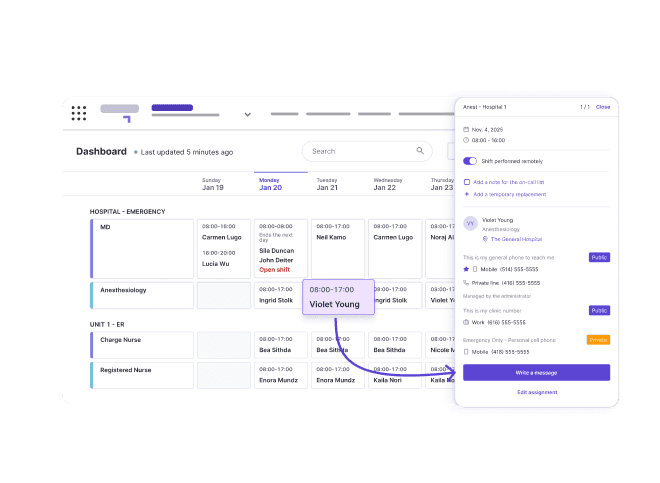
Manual scheduling has served healthcare organizations for decades, but growing workforce complexity demands more than spreadsheets and email updates.
Petal Automated Scheduling supports the entire scheduling lifecycle.
From generating fair schedules based on configured rules and physician preferences to managing shift swaps, absences, on-call coverage, and real-time schedule visibility after publication, your team will access industry-leading features toward smarter scheduling.
Proof: CHUM used Petal Workforce to transform its scheduling operations. An independent study analyzed the impacts:
- 8,000 hours saved annually
- $610K in annual economic value
- 407% increase in daily self-service searches
Automated scheduling accelerates care, and when teams move faster, patients win.
Simpler scheduling makes for satisfied staff:
FAQs: Manual scheduling vs. Automated scheduling in healthcare
What scheduling features should healthcare organizations look for?
The most effective healthcare scheduling platforms support both schedule creation and schedule management. Look for configurable scheduling rules, physician preference management, automated schedule generation, real-time schedule updates, self-service shift swaps, absence management, live on-call visibility, coverage gap identification, mobile access, reporting, and secure communication tools.
Why does real-time scheduling matter for physicians?
Real-time scheduling lets physicians know who is working, who is on call, who is available, and whether the schedule has changed. This reduces the time spent confirming assignments and supports faster care coordination.
Does automated scheduling remove physician control?
No. Automated scheduling should support physician input, not replace it. Availability, preferences, absences, swaps, and local scheduling rules can still be part of the process. Automation helps manage those inputs more consistently.
How does automated scheduling reduce administrative burden?
It reduces the manual work involved in updating schedules, communicating changes, reconciling versions, finding coverage, and tracking absences. This helps coordinators spend less time on repetitive scheduling tasks and gives physicians clearer access to current information.
What should physician leaders look for in automated scheduling?
Look for real-time visibility, centralized absence management, shift swap support, coverage gap detection, configurable rules, mobile access, reporting, and the ability to connect scheduling with communication workflows.